RocketToons Review: Features, Pricing & Is It Worth It?
An in-depth look at RocketToons’ cartoon creation workflow, reusable characters, generation credits, and optional upgrades.
Creating an AI cartoon image is relatively straightforward. Turning that image into a complete story—with recognizable characters, connected scenes, dialogue, music, and a satisfying ending—takes more work.
The challenge becomes bigger when you want to produce a series. Your main character needs to remain recognizable, the editing process needs to be manageable, and generation costs need to fit your publishing schedule.
RocketToons aims to bring those tasks into one browser-based studio. You can begin with a short idea, develop it into a screenplay, review the storyboard, animate the scenes, and prepare the result for publication.
But how useful is that workflow? What do you receive for the entry price, and which upgrades deserve consideration?
In this RocketToons review, I’ll walk through the production process, explain the pricing, and examine the practical details that matter before you buy.
RocketToons Review: The Quick Verdict
RocketToons is worth considering if you want a connected workflow for creating short cartoon stories.
Its most useful combination is storyboard review before animation and a library of reusable subjects. Together, these features give you a way to refine a story before generating moving scenes and bring familiar characters into later projects.
The main consideration is production capacity. The one-time purchase includes a finite allowance of AI video credits. Longer stories and repeated generation attempts affect how much usable content you can produce.
My recommendation is to begin with a small project that represents the content you actually want to make. Review the exported result, record the credits used, and assess the corrections required before purchasing additional capabilities.
| Question | My assessment |
|---|---|
| What is the main attraction? | A connected workflow for scripts, characters, storyboards, animation, audio, and export |
| What stands out? | Reviewing scenes before animation and reusing saved characters |
| Who is it most relevant to? | Creators making short stories, educational videos, and simple promotional content |
| What needs careful attention? | Credits, plan restrictions, animation consistency, and optional upgrade costs |
| Where would I start? | Commercial, followed by upgrades only when a specific need becomes clear |
RocketToons Quick Overview
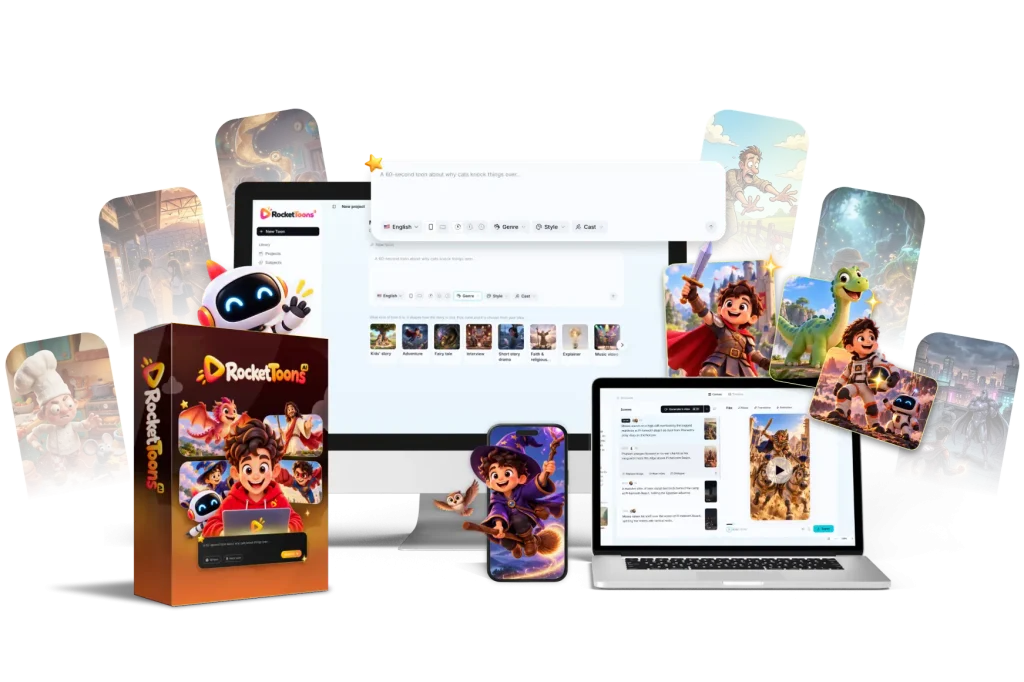
| Item | Details |
|---|---|
| Product | RocketToons AI |
| Creators | Ankit Mehta and Tim Verdouw |
| Platform type | Browser-based AI cartoon studio |
| Main purpose | Turn ideas or scripts into cartoon videos |
| Front-end price | $37 one-time |
| Commercial credit allowance | 1,000 AI video generation credits |
| Front-end coupon | EARLYTOONS: advertised 10% discount, subject to checkout acceptance |
| Optional upgrades | Elite, Pro, Studio, Agent, and Reseller |
| Bundle price | $317 before discounts |
| Bundle coupon | TOON50: advertised $50 discount, bringing the price to $267 if accepted |
| Bundle credit allowance | 6,000 credits |
| Commercial license | Advertised as included, subject to the applicable terms |
| Export | HD MP4 without a watermark; Pro advertises 1080p export |
| Guarantee | Advertised 30-day money-back guarantee |
| Installation | No desktop installation required |
Prices and package contents reflect the launch information reviewed for this article. Confirm the final offer at checkout.

What Is RocketToons AI?
RocketToons is an AI-assisted platform for producing cartoon videos from text ideas or scripts.
The platform connects several stages of production:
- Developing a story and screenplay.
- Creating characters, locations, and objects.
- Building a storyboard.
- Generating voices and animated scenes.
- Adding music, transitions, and captions.
- Editing, exporting, and publishing the video.
That integration is its central appeal. You can move through much of the creative process without transferring every asset between separate applications.
However, you still need to direct the project. An automatically generated story may need a clearer ending. A scene may need a different action. A character’s appearance may need correction.
RocketToons provides tools to assist with production; the creator remains responsible for deciding when the result is ready to publish.
RocketToons Pricing: What Are You Actually Buying?
Before looking at the demo, it helps to understand the difference between software access, generation credits, and optional features.
Commercial Edition: $37 One-Time
The entry offer is $37, including 1,000 AI video generation credits.
The advertised package includes the main story creation workflow, storyboard review, reusable characters, voices, background music, captions, HD export, and a commercial license.
If the EARLYTOONS coupon is accepted for a 10% discount, the front-end price becomes $33.30 before applicable taxes.
This is the lowest-cost entry point for assessing whether the workflow meets your needs.
Bundle: $317, or $267 With a Valid Coupon
The bundle is listed at $317 and includes Commercial, all five upgrades, 6,000 credits, and the 25-account Reseller package.
If the TOON50 coupon is accepted, the price becomes $267.

The bundle may be useful if you need several upgrades. However, it should be compared with the specific combination you would otherwise buy.
For example, Commercial plus Elite and Pro totals $131 before discounts. A creator who only needs those capabilities may have little reason to purchase reseller access or assistant integration.
I’ll examine each upgrade and its price later in this review.
How Does RocketToons Work?
The walkthrough below follows two creative paths: producing a story from an idea, then creating a custom character from a photo and using it in another project.
Part One: Create a Cartoon From a Story Idea
Step 1: Choose Your Style and Enter an Idea
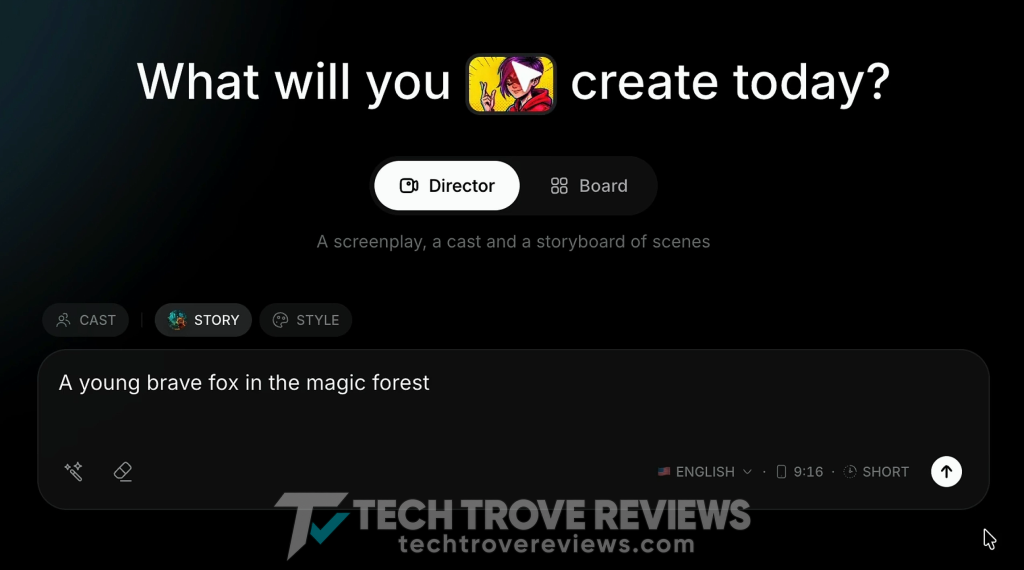
Begin by choosing a cartoon style and entering a short story idea.
For example:
A brave young fox explores a magical forest and helps a lost firefly find its way home.
A focused prompt makes the first result easier to evaluate. Start with one main character, one setting, and a clear problem.
You can build a more complicated story later, once you understand the workflow.
Step 2: Review the Generated Story Canvas
Once the project is generated, the story opens in a canvas showing its scenes.
Review the sequence, characters, and objects. Check whether the story follows your idea and whether the scenes connect logically:
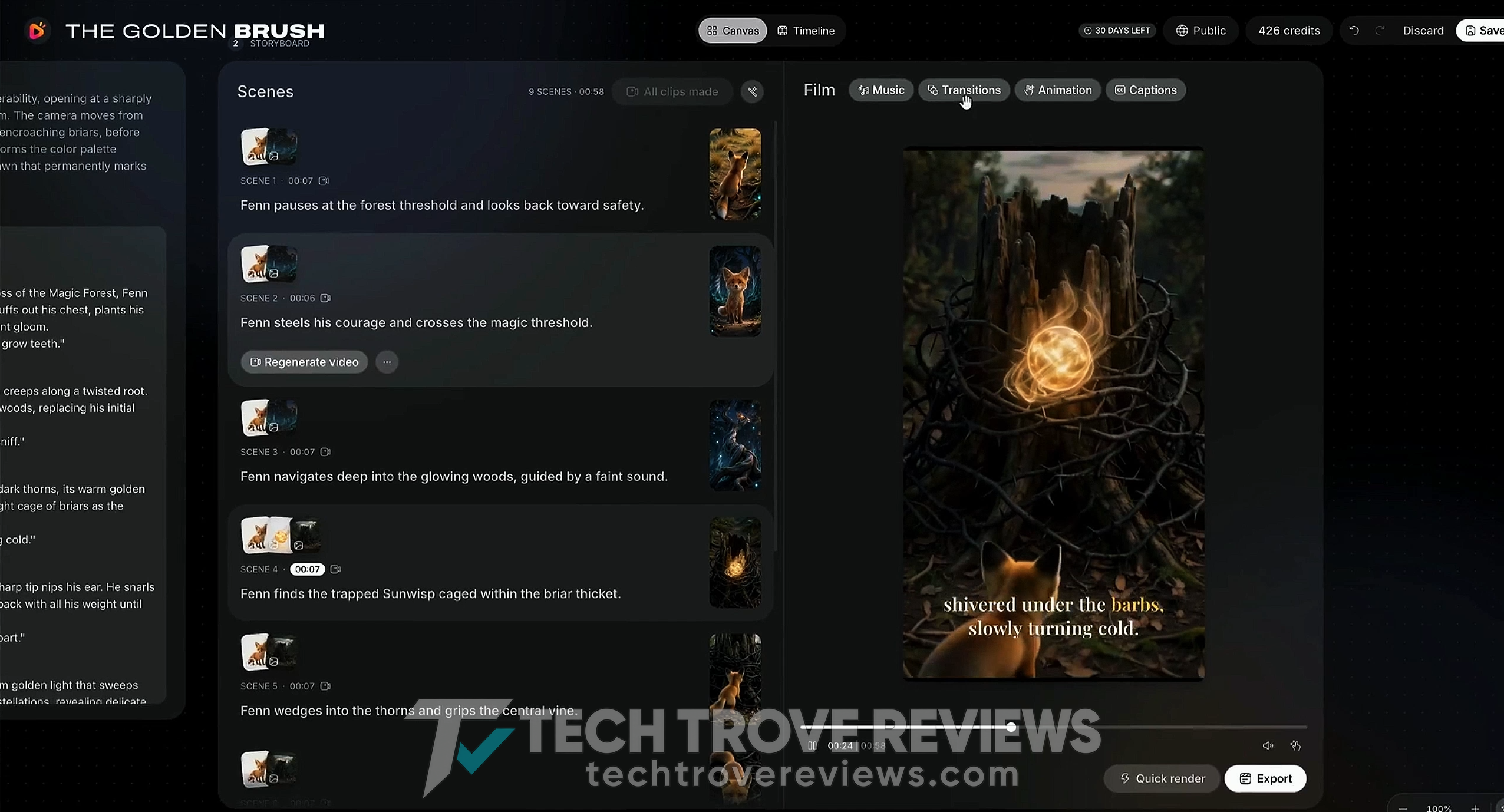
If a section needs work, use Regenerate and the available script controls to make changes:
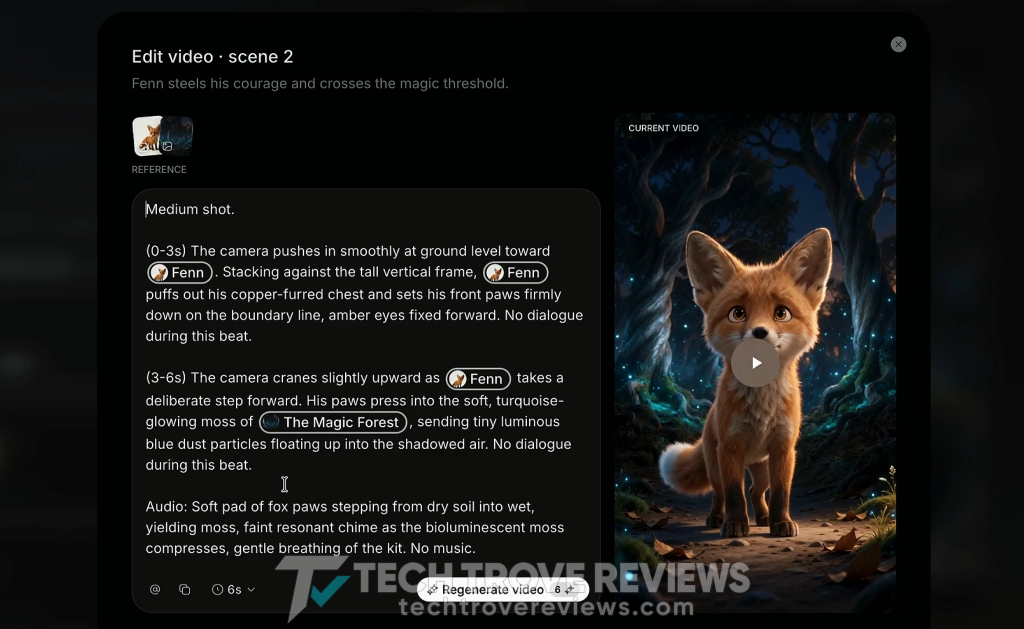
Before regenerating, identify the problem you want to solve. A request such as “make the final scene show the firefly returning home” gives a clearer direction than simply asking for another version.
Step 3: Add Background Music
Open the music library and select a track that supports the story:
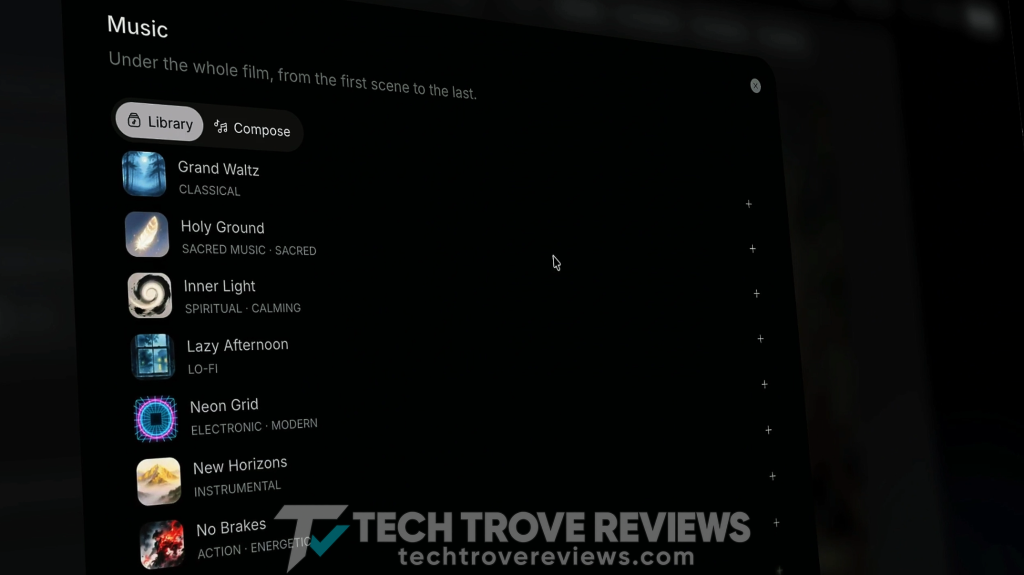
Listen to the soundtrack alongside the voices. Music can improve the atmosphere, but it should not make the dialogue difficult to understand.
For a gentle story, a quieter track may work better than a dramatic arrangement.
Step 4: Adjust Transitions, Animation, and Captions
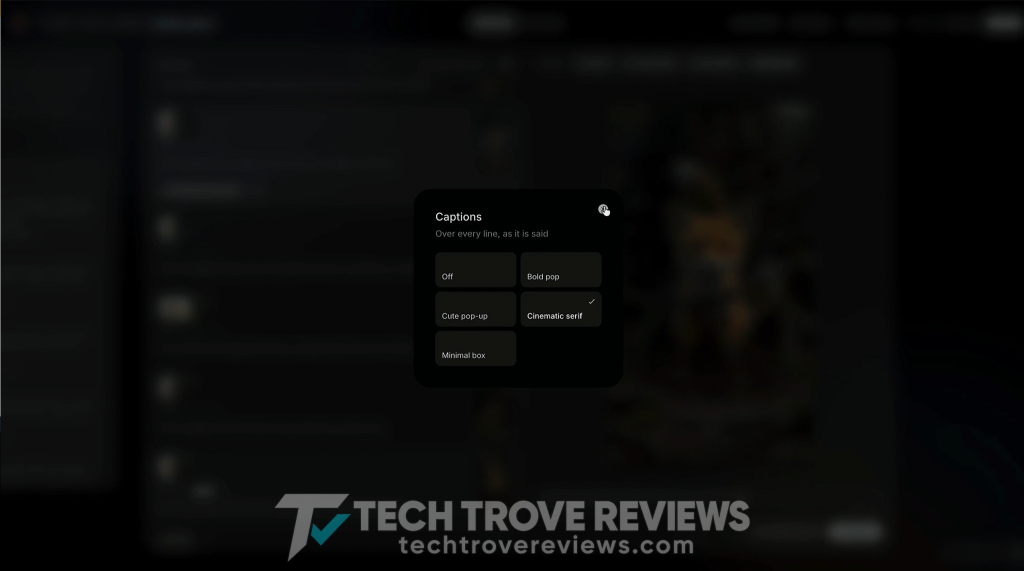
Choose the transitions between scenes, review the animation options, and select a caption style:
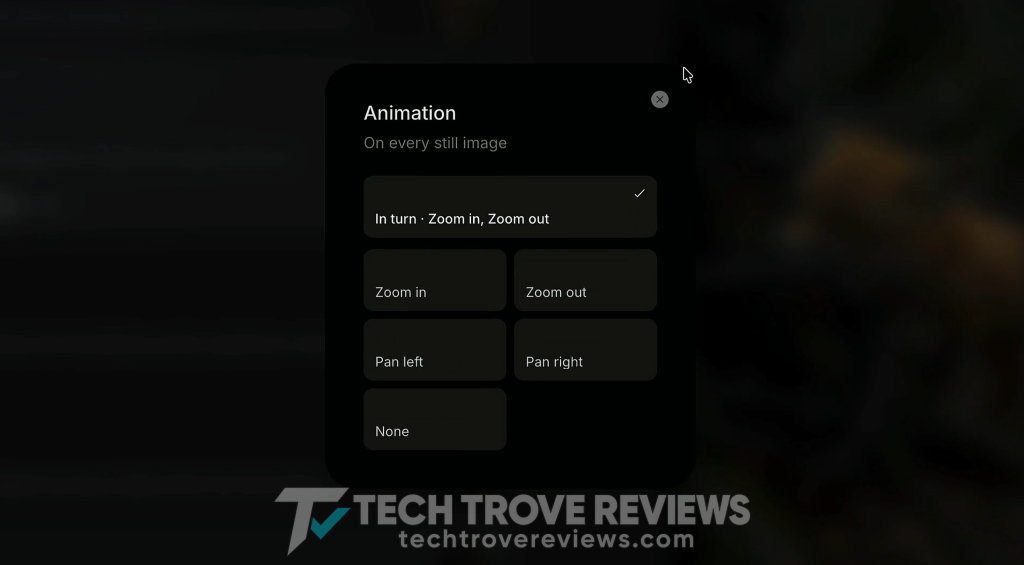
Consistency usually helps a short video feel more coherent. Use transitions that support the pacing and check that captions remain readable against the background:
Step 5: Review the Timeline
The demonstrated workflow includes a Timeline editor for reviewing the project:
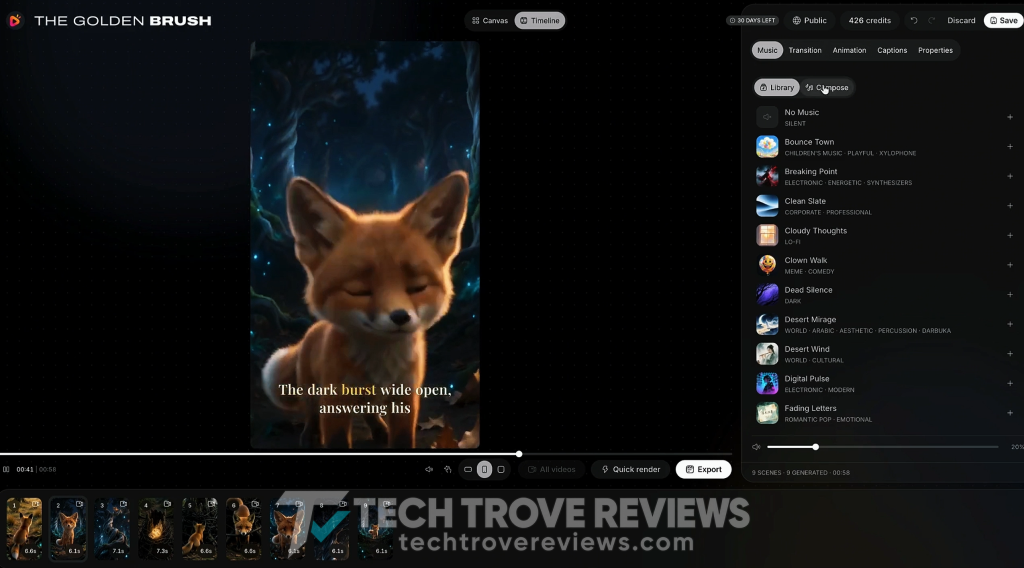
Watch the sequence from beginning to end. Look for scenes that feel rushed, awkward pauses, or an ending that cuts off too suddenly.
This is also a useful stage for checking how the visuals and audio work together.
Step 6: Export the Video
When you are satisfied with the project, click Export:
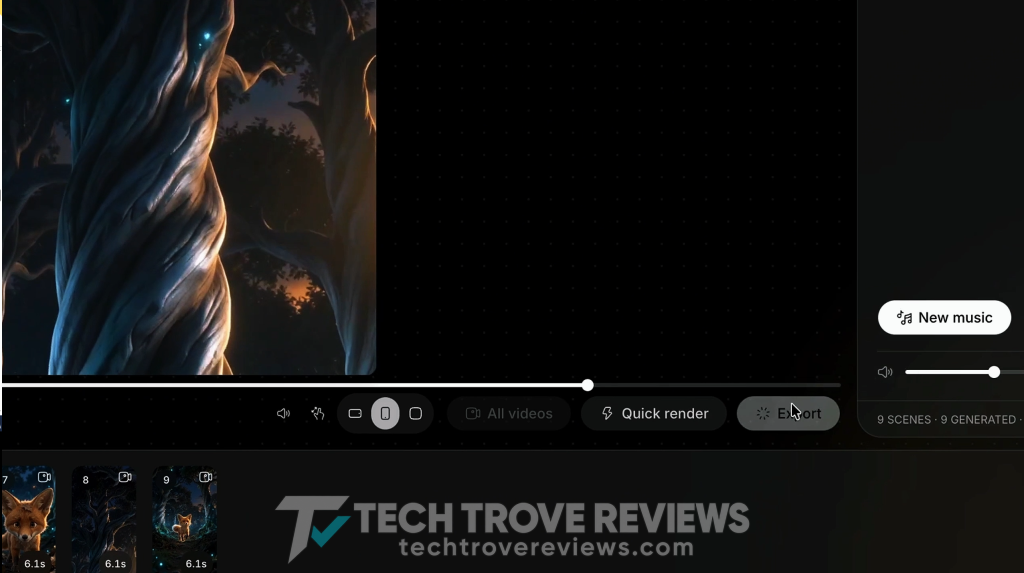
Download and play the finished file. Check the actual export rather than relying entirely on individual previews inside the editor.
Pay attention to captions, scene changes, voice clarity, and the final frame.
Step 7: Prepare a Social Media Post
Select Post and choose the supported platform where you want to publish:
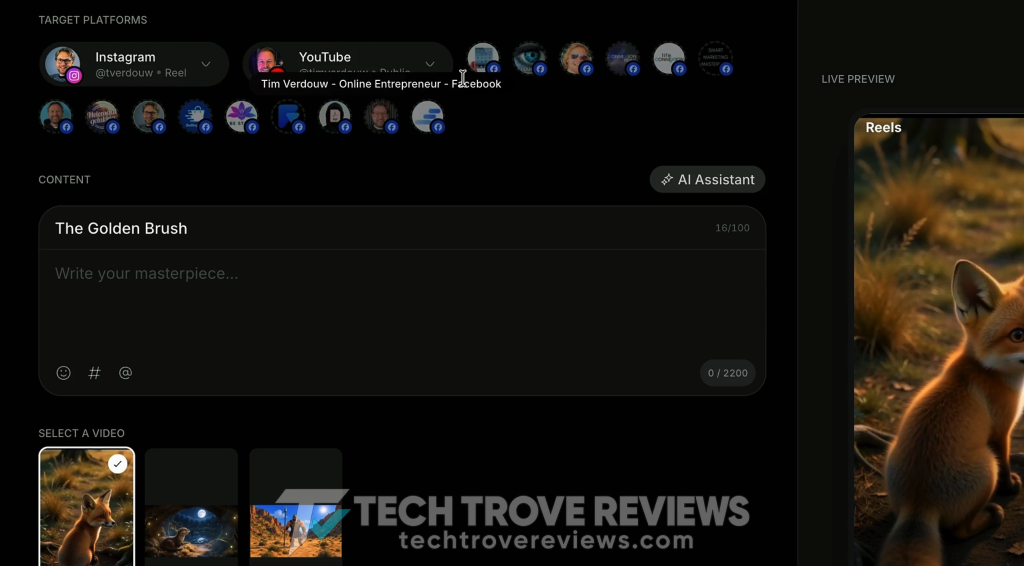
Review the platform preview, then use the AI Assistant to help draft a caption if that feature is available in your account.
Edit the suggested caption so it accurately describes your video and matches your audience.
RocketToons advertises direct posting to YouTube, Facebook, Instagram, and LinkedIn. Account connections and plan entitlements affect the publishing options available to you.
Step 8: Schedule and Check the Calendar
Where your plan includes scheduling, choose a date and time, then select Schedule:
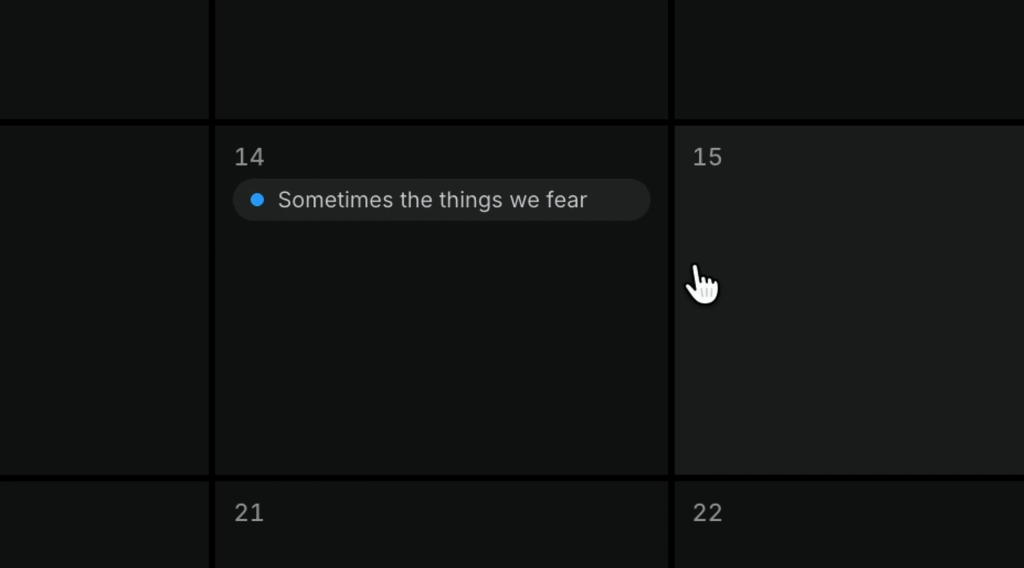
Open the calendar to check the scheduled post.
This can help organize a content queue, but verify that the scheduling and calendar features shown in the demonstration are included in your chosen edition.
Part Two: Create and Reuse a Custom Character
Step 9: Open the Subject Library
The Subject section contains characters, locations, and objects created for your projects:
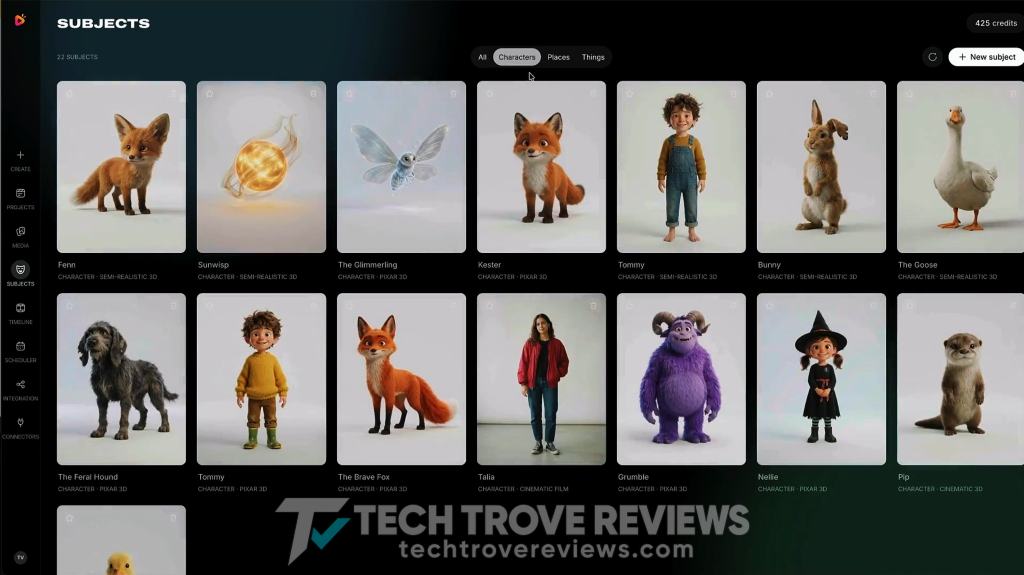
Find the fox from the first story and review its saved entry.
This library is particularly relevant to recurring content. You can return to existing subjects when creating another episode instead of rebuilding every element from scratch.
Step 10: Turn a Photo Into a Cartoon Character
Create a new subject and upload a suitable image, such as a photo of yourself:
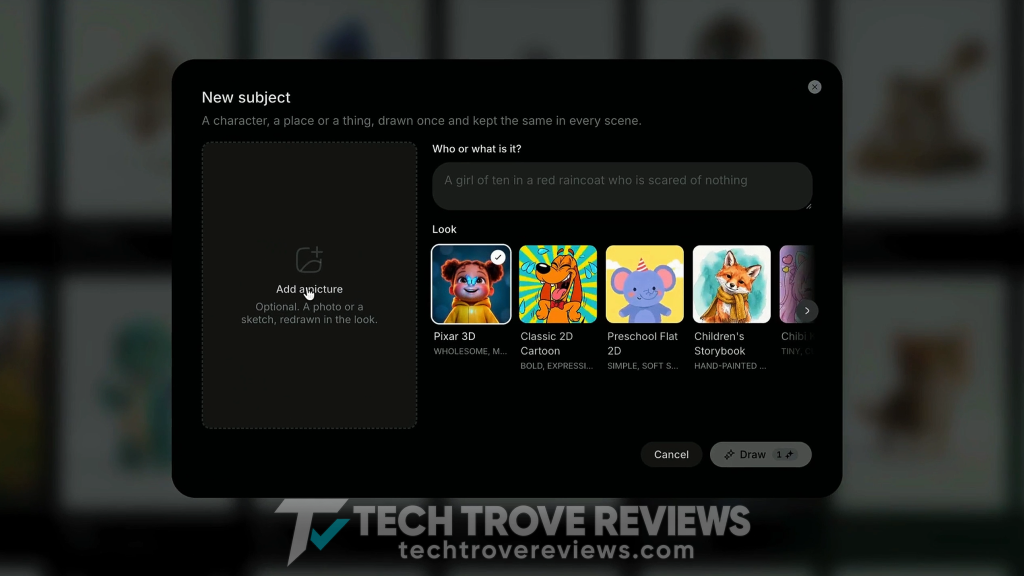
Choose the style, enter a character name, and click Draw:
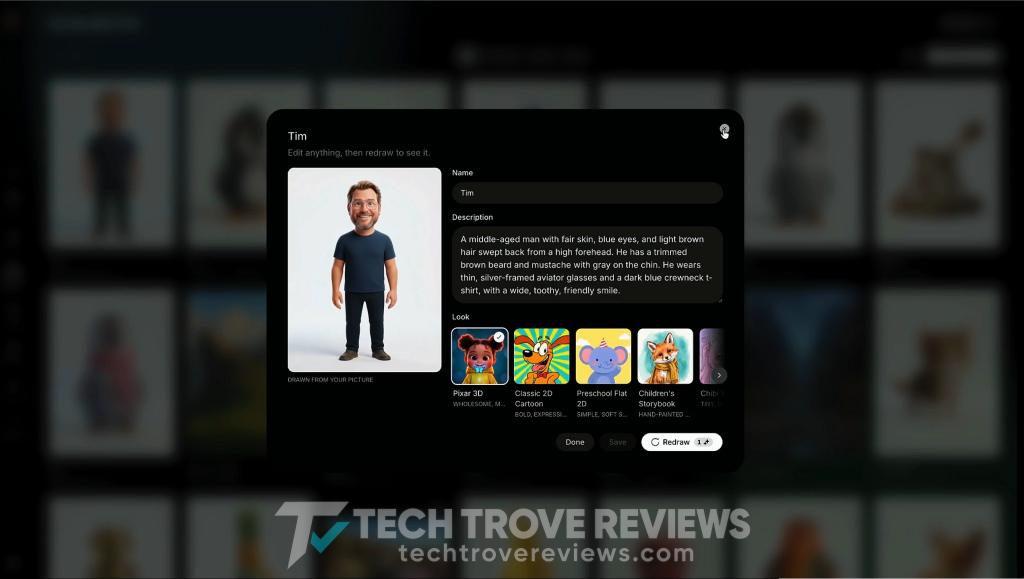
The demonstrated workflow generates a cartoon image and a description based on the photo. Review the face, hair, clothing, and other identifying details before proceeding.
Step 11: Add the Character Through Cast
Return to the story creation flow and select your character through Cast:
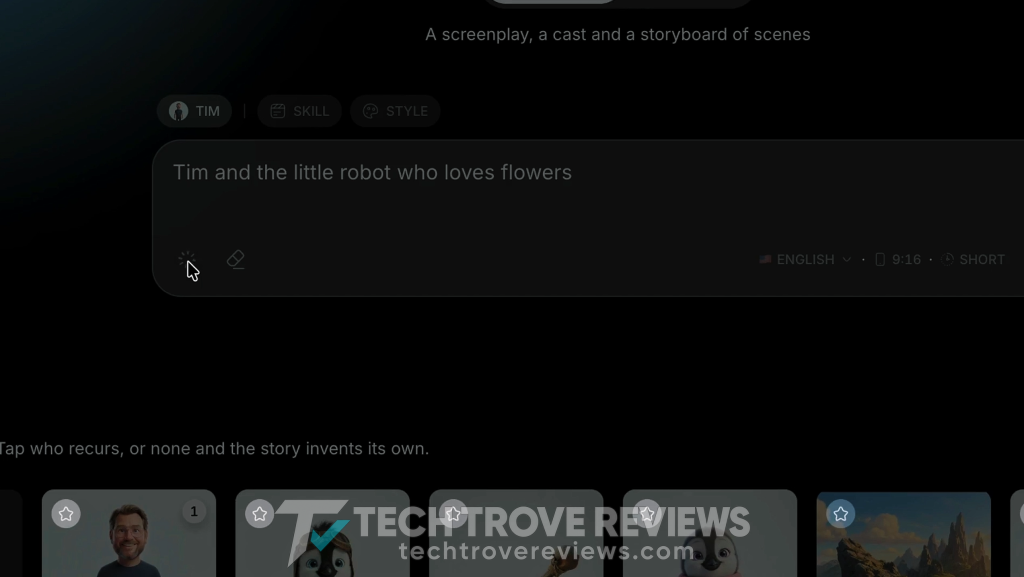
Enter a new idea. For example:
Luan and a tiny robot repair a broken lantern before the village’s evening festival.
You can use the prompt enhancer to expand the idea into a fuller description. Read the expanded version to make sure it preserves the story you intended.
Step 12: Set the Story Format and Video Preferences
Choose the relevant Skill, or story format, then select the style, language, orientation, and length:
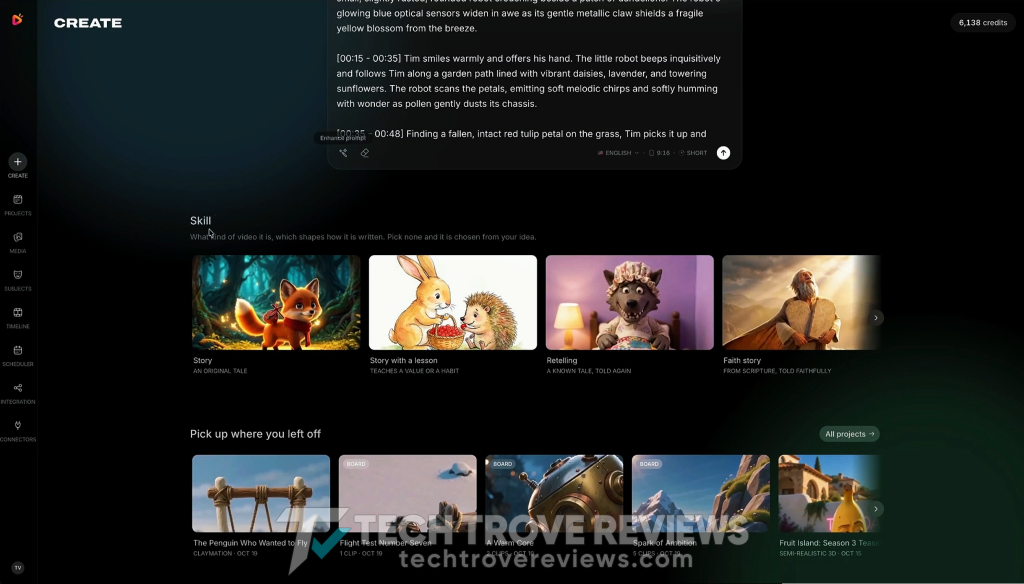
To follow a similar setup to the demonstrated workflow, you could choose a story format, pixel style, portrait orientation, and a one-minute target.
Click Generate when the settings are ready.
The selected duration is a project setting; review the eventual runtime and generation estimate separately.
Step 13: Review the Screenplay and Make the Storyboard
Review the generated story and cast.
Check the available settings, including aspect ratio, the image or video approach, and music. Then choose Make the Storyboard:
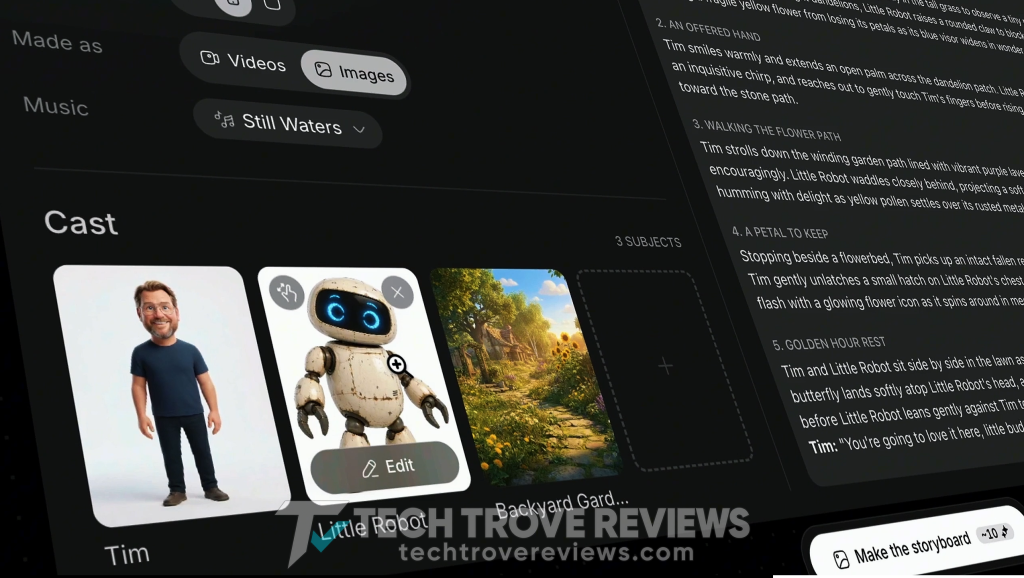
Inspect the resulting still images for missing story beats, inconsistent character details, and scenes that do not clearly communicate the intended action:
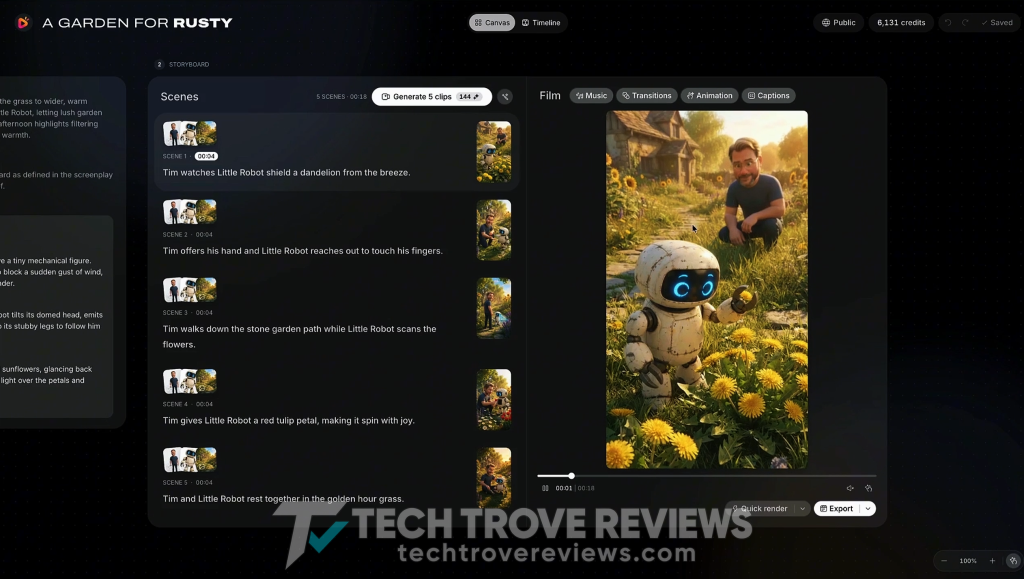
This is one of the most useful review points in the workflow because it comes before video generation.
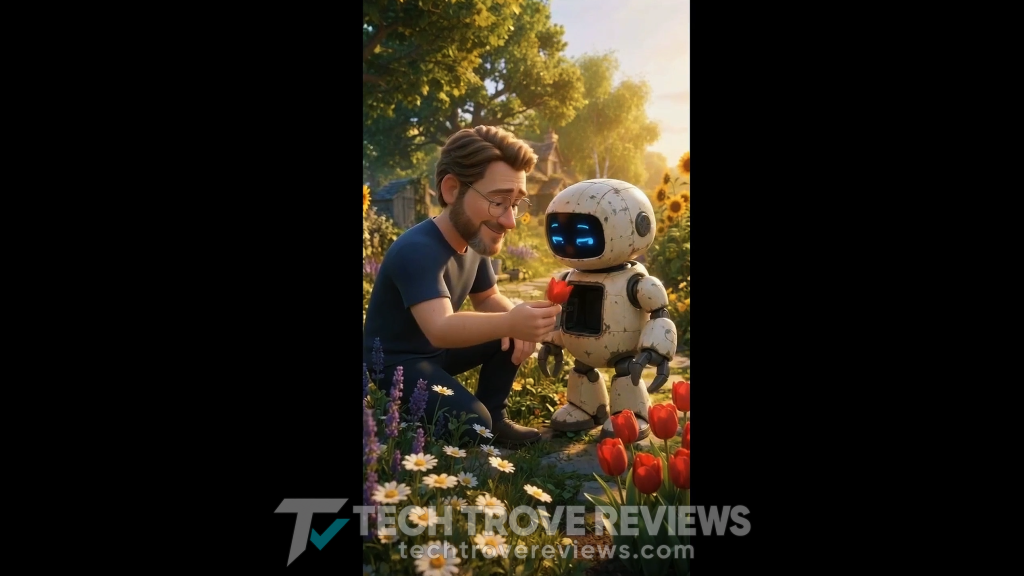
Step 14: Convert the Images Into Video Clips
Use the clip-generation control to animate the storyboard images.
The number of clips depends on your project. The demonstration shows a five-clip example, but your storyboard may contain a different number:
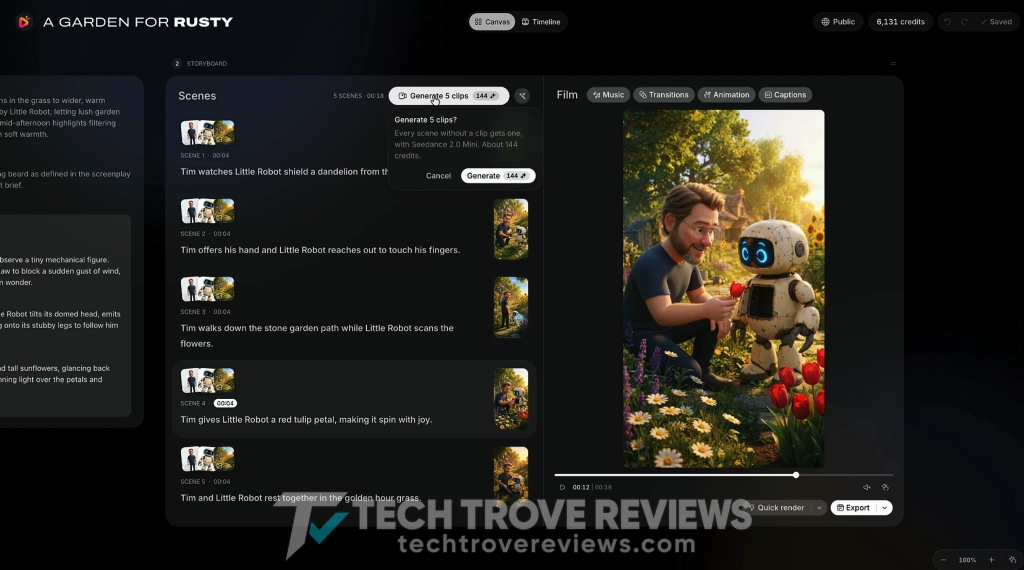
Check the displayed credit cost before confirming.
Once generation finishes, watch the animated scenes individually and as a sequence. A good still image does not necessarily guarantee a usable animated result:
Step 15: Manage Assets in Media
Open Media to find the images, clips, and music associated with your work.
The demonstrated interface lets you download assets or select Open to return to the related project:
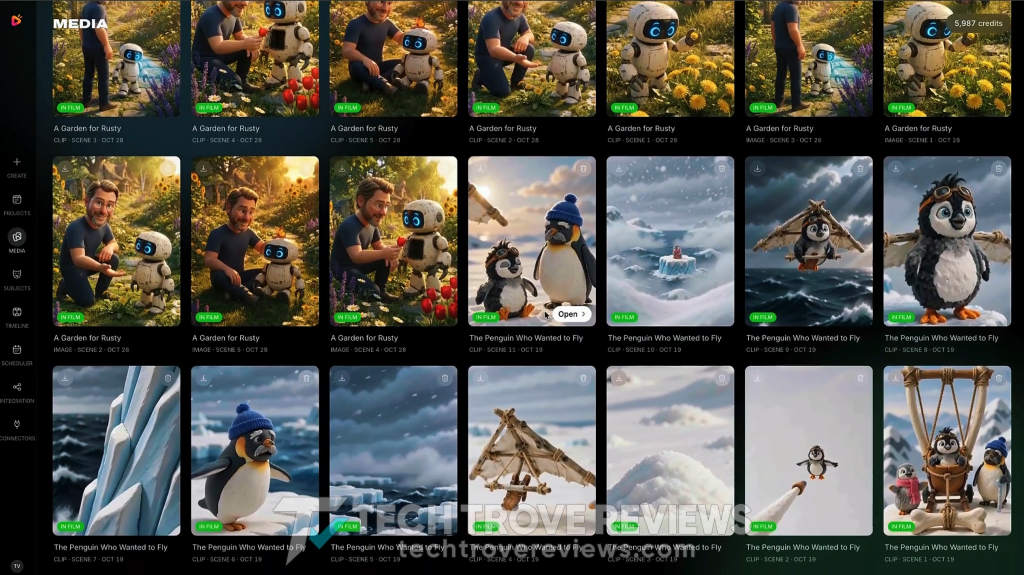
This provides a way to revisit earlier work and continue editing.
Caption: Finding generated assets and reopening a project through Media.
Add my code EARLYTOONS to get 10% off.

Which Features Matter Most?
RocketToons has a long feature list, but a few capabilities are particularly relevant to everyday production.
Storyboard Review Before Animation
The storyboard gives you a chance to correct the story while it is still represented by still images.
That matters because an unclear scene does not become clearer simply by adding motion. Fixing the sequence before animation can reduce avoidable rework.
Reusable Characters, Locations, and Objects
A saved subject library supports the idea of recurring content.
You can bring back a character, reuse a familiar setting, or include the same prop in another story. The practical value depends on how consistently those references appear in the final output.
Photo-to-Character Creation
Turning a photo into a reusable cartoon subject opens possibilities for personalized stories and presenter-style content.
The generated character still needs review. A recognizable reference is useful only if you are satisfied with how it looks in the scenes.
Connected Audio and Editing Tools
Music, captions, voices, transitions, and export in the same workspace can reduce the amount of manual asset handling.
The benefit is convenience. You still need to check whether the available controls provide enough flexibility for your particular project.
Output Quality: What Should You Inspect?
A product demonstration explains what the software can do. Your own project shows whether its results suit your needs.
These are the areas I would inspect before publishing:
| Area | What to check |
|---|---|
| Story | A clear setup, understandable action, and a complete ending |
| Characters | Recognizable faces, clothing, colors, and proportions |
| Movement | Coherent motion without distracting distortions |
| Voices | Clear pronunciation and an appropriate delivery |
| Lip-sync | Reasonable alignment between speech and mouth movement where used |
| Music | A suitable mood without overpowering dialogue |
| Captions | Correct text, readable size, and safe placement |
| Pacing | Enough time to understand each scene without unnecessary pauses |
For a series, check consistency across episodes as well as within a single video.
Saving a character is a useful feature. The production question is how much correction remains necessary after reusing it.
Credits and the Real Cost of Production
The official offer currently lists:
- Commercial: 1,000 credits
- Bundle: 6,000 credits
Its FAQ describes those allowances as supporting up to 50 and 300 short videos respectively, with those examples referring to videos up to five seconds long.
That detail matters. Fifty short clips are not the same as fifty complete one-minute episodes.
The sales page says generation costs depend on video duration and are displayed before generation. Use the estimate shown for your project rather than assuming a fixed cost per finished story.
Revisions also belong in the calculation. If several clips need another attempt, the resources required to finish a usable episode can exceed the first estimate.
A simple production log helps:
| Record | Purpose |
|---|---|
| Starting credit balance | Establish your available allowance |
| First generation cost | Measure the initial production expense |
| Additional generation costs | Track revisions |
| Final runtime | Compare projects of different lengths |
| Hands-on editing time | Understand the work required from you |
The useful measure is the cost of an acceptable finished video, including corrections.
Before planning regular production, confirm additional-credit pricing, expiration rules, and which operations consume credits. Do not assume a one-time payment covers unlimited future generation.
Add my code EARLYTOONS to get 10% off.

Which Upgrades Are Worth Considering?
RocketToons offers five optional upgrades. The listed prices below are paid separately from the $37 Commercial edition.
Upgrade 1: RocketToons Elite — $47 One-Time >>More Details<<
Elite removes the stated 50-film limit, supports projects up to 15 minutes, and adds advanced publishing, scheduling, and analytics capabilities.
It is most relevant when you already like the core workflow and need fewer project restrictions or more publishing flexibility.
However, unlimited films does not mean unlimited AI generation. Check the included credit allowance separately.
My recommendation: Consider Elite when project length, film limits, or publishing features become an actual constraint.
Upgrade 2: RocketToons Pro — $47 One-Time >>More Details<<
Pro focuses on production capabilities.
It advertises an upgraded video engine, six additional visual styles, premium AI voices, advanced editing options, team collaboration, and 1080p export.
These features may be relevant to creators making client content or developing a consistent visual identity for a series.
Where possible, compare similar scenes produced with the available engines. That is a better basis for judging value than the upgrade name alone.
My recommendation: Examine Pro if animation options, voices, editing flexibility, or export resolution are your main concerns.
Upgrade 3: RocketToons Studio — $37 One-Time >>More Details<<
Studio expands the platform toward standalone clips, photo animation, video extension, and connecting scenes.
It may suit promotional videos and short visual sequences that do not require a complete episode workflow.
Check how these tools consume generation credits before planning a large number of clips.
My recommendation: Consider Studio if short advertisements or individual animated visuals are a regular part of your work.
Upgrade 4: RocketToons Agent — $37 One-Time >>More Details<<
Agent is designed to connect RocketToons with compatible AI assistants.
It allows supported tasks to be managed through conversational instructions, potentially making it useful for people who already organize creative work through an assistant.
Confirm the supported integrations, setup requirements, and any separate subscriptions involved.
My recommendation: Choose Agent when the integration serves a workflow you already intend to use. Dashboard users may not need it.
Upgrade 5: RocketToons Reseller — $97 or $197 One-Time >>More Details<<
The Reseller offer has two listed packages:
| Package | Price |
|---|---|
| 25 client accounts | $97 one-time |
| 100 client accounts | $197 one-time |
This upgrade is for selling RocketToons accounts under the applicable reseller terms.
It serves a different purpose from selling finished videos. Review customer-support responsibilities, account entitlements, credit arrangements, and resale restrictions before purchasing.
My recommendation: Treat Reseller as a separate business decision. It is unnecessary if your goal is simply to produce cartoons for your own channels or clients.
Total Cost of Common Setups
These totals include Commercial and exclude discounts or applicable taxes.
| Setup | Total |
|---|---|
| Commercial only | $37 |
| Commercial + Elite | $84 |
| Commercial + Pro | $84 |
| Commercial + Studio | $74 |
| Commercial + Agent | $74 |
| Commercial + Reseller: 25 accounts | $134 |
| Commercial + Reseller: 100 accounts | $234 |
| Commercial + Elite + Pro | $131 |
| Commercial + all upgrades, with 25 reseller accounts | $302 |
| Commercial + all upgrades, with 100 reseller accounts | $402 |
The bundle is separately listed at $317, or $267 if TOON50 is accepted. It advertises 6,000 credits and the 25-account reseller package.
Compare entitlements carefully: individual purchases and the bundle may include different credits or extras.
Practical Uses for RocketToons
Educational Stories
A cartoon character can introduce an idea, demonstrate a problem, or explain a simple concept.
Review the script for accuracy and ensure that the pacing and language suit the intended audience.
Recurring Cartoon Content
Saved subjects make RocketToons relevant to creators who want to return to the same cast.
The longer-term challenge is maintaining interesting stories and acceptable quality within a manageable credit budget.
Small-Business Promotions
Animated characters and props can support short announcements, seasonal offers, or simple product explanations.
For client work, agree on the visual style and number of revisions before committing to a delivery price.
Personalized Videos
Photo-based characters offer a way to place a recognizable person inside a cartoon story.
Use images you have permission to adapt and inspect the character before producing the full project.
Important Claims to Put in Context
“One Sentence to an Episode”
A sentence can start the process. The amount of review required depends on the story and the generated result.
A short input should not be confused with a guarantee of a publication-ready first draft.
“Consistent Characters”
Reusable references support continuity, but the finished animation still needs inspection.
Check facial details, clothing, proportions, and scene-to-scene changes.
“No Monthly Fees”
The advertised launch plans use one-time pricing.
That does not establish unlimited generation capacity. Credit purchases and service terms remain important to ongoing use.
“Commercial License Included”
Commercial access is useful, but it does not automatically grant rights to every image, character, brand, or other outside asset you upload.
Review the license and use appropriate source material.
“Create a Profitable Channel”
RocketToons can assist with producing content. It does not guarantee an audience, client demand, or income.
The story ideas, finished quality, and distribution strategy remain part of the creator’s work.
RocketToons Pros and Cons
Pros
- Connects several production stages in one workspace.
- Lets you inspect a storyboard before animation.
- Supports reusable characters, locations, and objects.
- Demonstrates character creation from photos.
- Includes music, captions, editing, and export options.
- Advertises watermark-free output and commercial use.
- Offers upgrades for distinct production needs.
Cons
- Credits constrain practical generation capacity.
- Repeated revisions can increase production costs.
- Some demonstrated capabilities may require an upgrade.
- Character appearance and animation need manual review.
- Offers require careful comparison of prices and entitlements.
- The bundle may contain features an individual creator never uses.
- A sales demonstration does not establish long-term reliability or typical production performance.
Who Should Buy RocketToons?
RocketToons is worth investigating if you want to create short cartoon stories, prefer a connected production workspace, and are comfortable reviewing AI-generated results.
It makes particular sense when you have a specific project in mind and can evaluate whether the software meets its requirements.
I would be more cautious if you need precise animation control, guaranteed visual continuity, or a high-volume schedule with a tightly fixed operating cost.
For those requirements, a representative production test is essential before making a larger commitment.
My Buying Recommendation
For a creator starting from scratch, I would begin with Commercial, provided the current allowance is sufficient to evaluate a representative project.
Complete a short story, export it, and record:
- How much editing it required.
- How many scenes needed regeneration.
- How many credits were consumed.
- Whether the finished result meets your publishing standard.
Then select upgrades according to the limitation you encountered.
Elite addresses capacity and publishing needs. Pro expands production options. Studio serves individual clip workflows. Agent supports assistant-based operation. Reseller is for selling accounts.
Buying the largest package immediately is only sensible when several of those needs are already clear.
Final Verdict: Is RocketToons Worth It?
RocketToons offers a practical approach to AI cartoon production by connecting story development, reusable subjects, storyboarding, animation, and publishing.
The most compelling part is the opportunity to review the story before animating it. Combined with saved subjects, that creates a useful foundation for producing related videos.
Its value ultimately depends on the quality of your finished projects and the resources required to produce them.
For creators who want to experiment with short cartoon stories, RocketToons is worth considering. Begin with a manageable project, inspect the exported result, and measure credit use before planning a full series.
Check the current RocketToons offer, credit allowance, and included features before choosing your plan.
Frequently Asked Questions
Is RocketToons suitable for beginners?
Its workflow uses prompts, visual scene review, and guided controls. Beginners can use those tools, but they still need to check the story, audio, and animation before publication.
Do I need to install anything?
RocketToons is advertised as browser-based and does not require desktop installation.
Can I create a character from my own photo?
Yes. The demonstrated process includes uploading a photo, choosing a style, naming the subject, and clicking Draw to create a cartoon character.
Can I reuse a character in later videos?
Yes. The Subject library and Cast selection support reusing saved characters. Review the resulting scenes for visual consistency.
Can I edit the story before animation?
Yes. The workflow includes screenplay review and storyboard editing before generating video clips.
How much does RocketToons cost?
Commercial is listed at $37 one-time. Optional upgrades range from $37 to $197, depending on the edition and reseller package. The bundle is listed at $317 before any accepted discount.
Does RocketToons include unlimited generation?
No. Commercial currently advertises 1,000 credits, while the bundle advertises 6,000 credits. A film-count limit and a generation-credit allowance are separate things.
Are the upgrades required?
No. They are optional additions for different production and business needs. Check that your chosen package includes the features demonstrated in the workflow you want to follow.
Can I sell the videos I create?
RocketToons advertises a commercial license. The applicable terms and your rights to any uploaded materials still govern permitted use.
Can I schedule social posts?
Scheduling is demonstrated, but access depends on your edition. Check the plan’s publishing and calendar features before purchasing.
Is a refund available?
The official offer advertises a 30-day money-back guarantee. Review the refund terms and contact instructions associated with your order.
Exclusive Bonuses From Me
If you grab RocketToons AI through my link, I’m also including a set of exclusive bonuses to help you get started faster and get more value from the platform.
These are practical resources I’ve put together based on real testing:
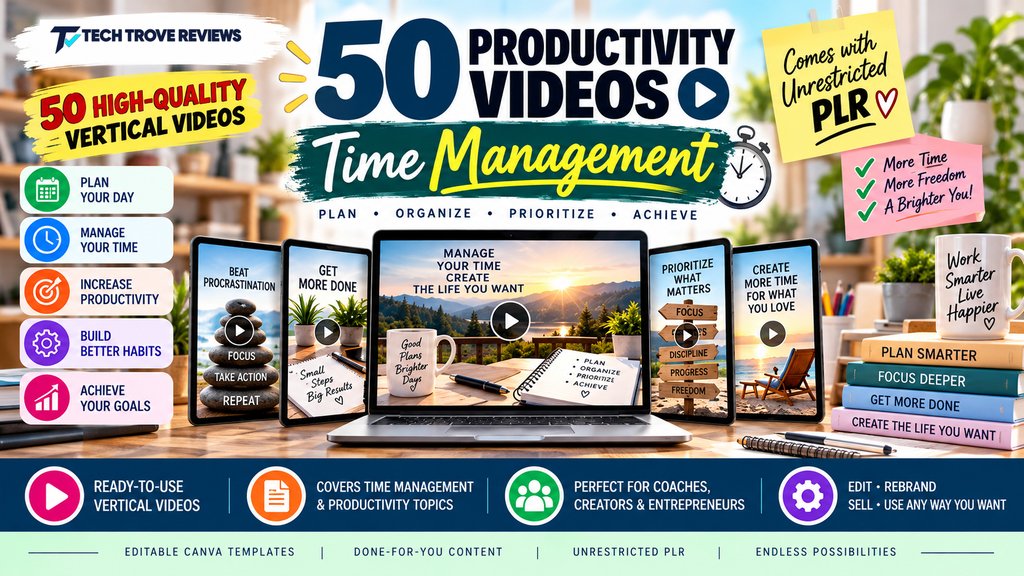
1. 50 Productivity Videos – Time Management
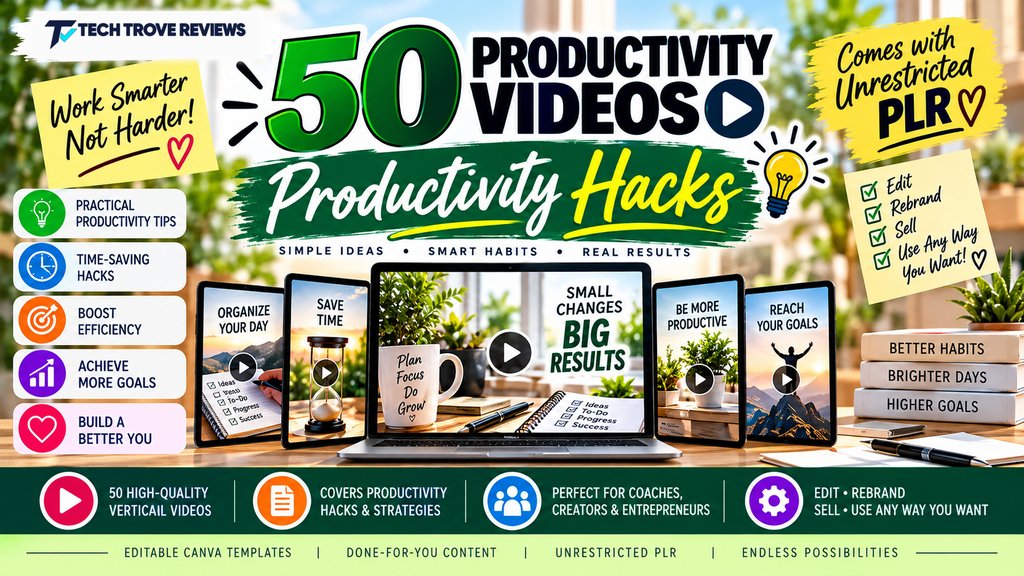
2. 50 Productivity Videos – Productivity Hacks
3. 50 Productivity Videos – Procrastination And Motivation
4. 50 Productivity Videos – Motivation
5. 50 Productivity Videos – Life Balance
6. 50 Productivity Videos – Focus And Concentration
7. Sell Digital Videos On Amazon – Advanced Edition
8. Grafisa – Whitelabel -3000+ Premium Graphic and Video Templates
9. Video Marketing Traffic Using AI
10. Brainy Kids Mega Adventure Pack
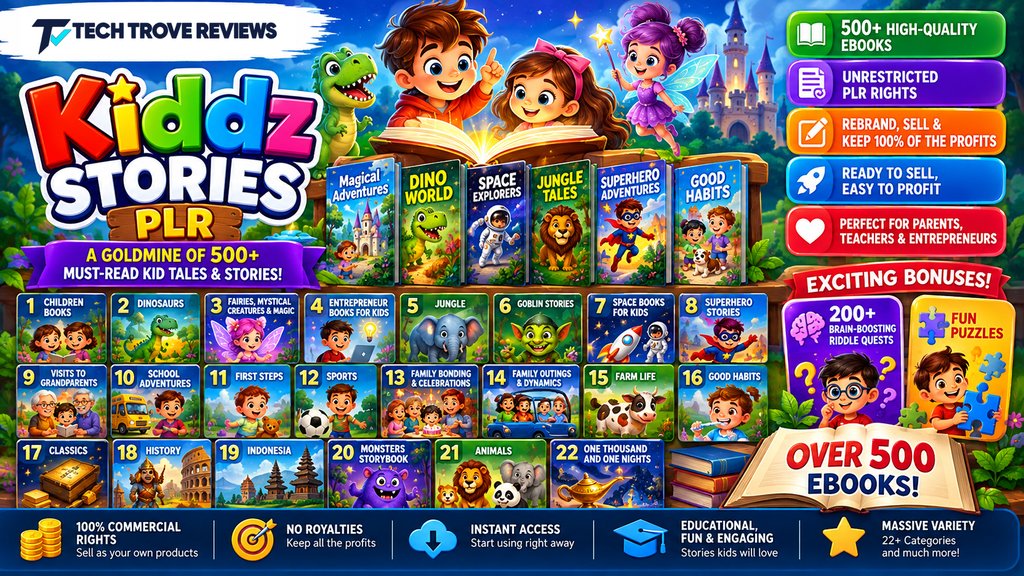
11. Kiddz Stories
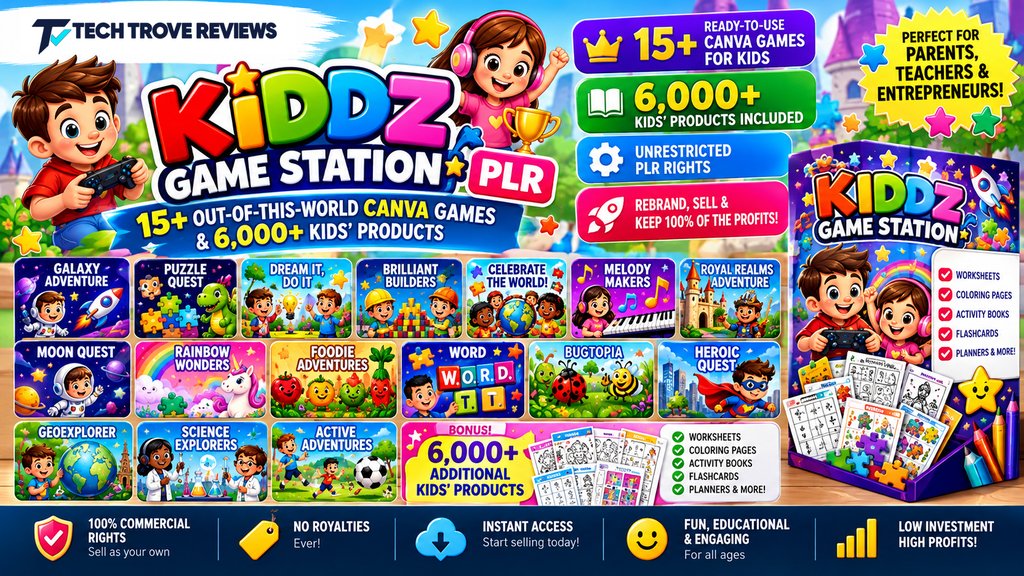
12. Kiddz Game Station
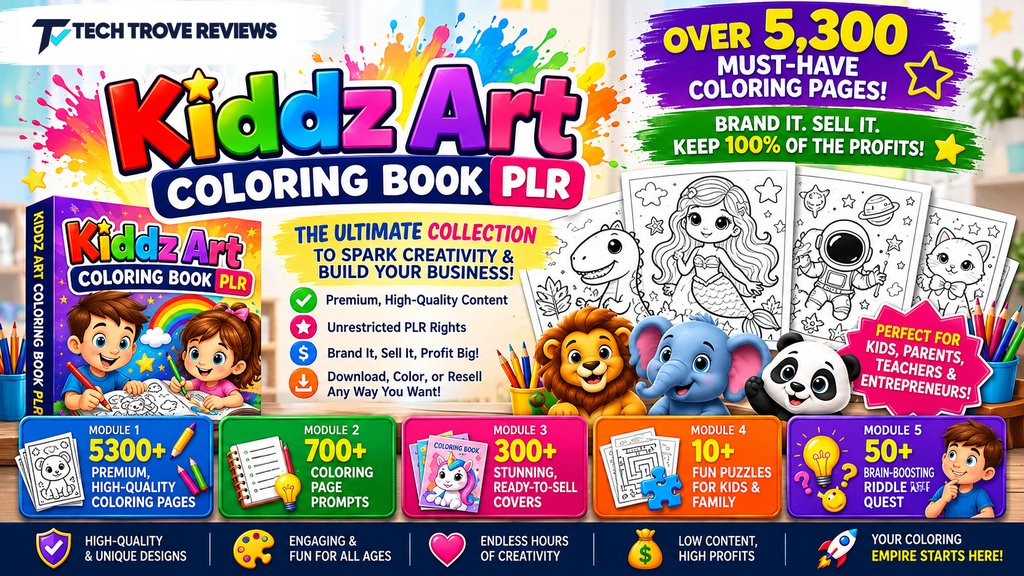
13. Kiddz Art Coloring
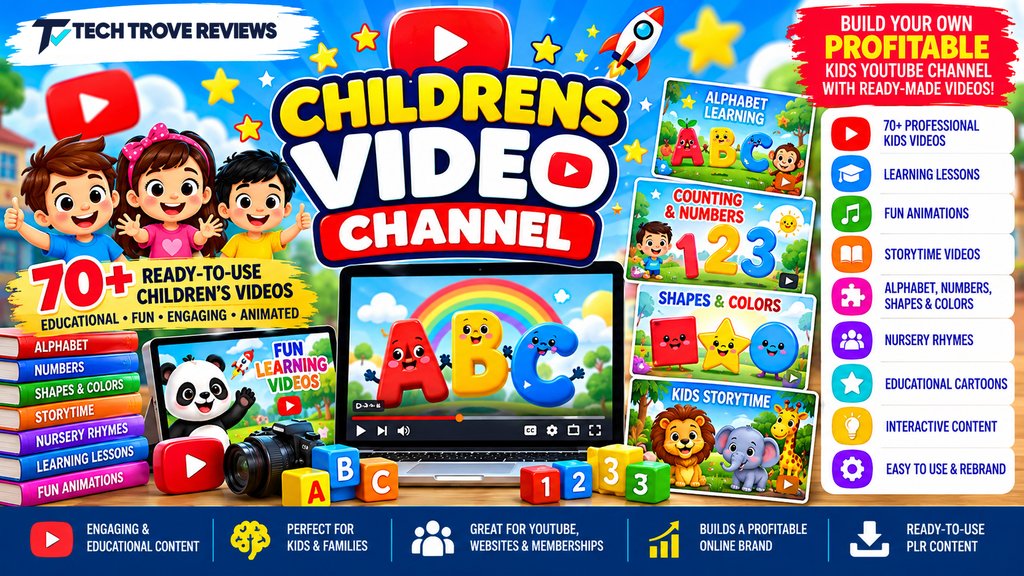
14. Childrens Video Channel
15. Educational Poster Prompts for Kids
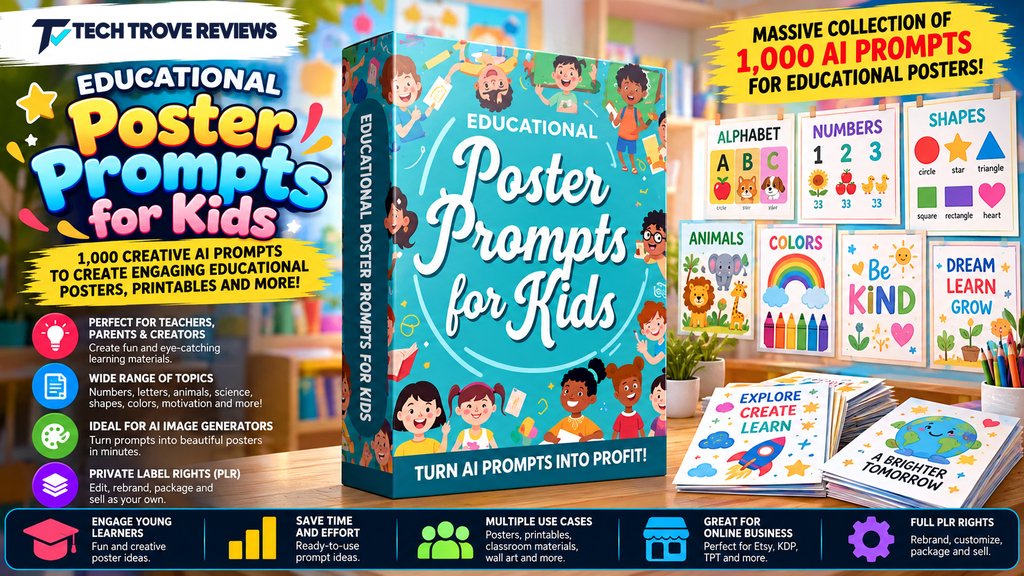
You’ll receive access to these bonuses automatically after purchase through my link. No extra steps required.

Use coupon code EARLYTOONS for 10% off the Front End or TOON50 for $50 off the Bundle.
RocketToons Review: Features, Real Costs & Who It Suits

RocketToons AI is a browser-based cartoon studio that turns a text prompt into a full short episode with storyboard, voices, music, and export. It saves characters in a reusable cast library so you can build a series, and lets you create cartoon versions of real people from photos. The front-end is a $37 one-time payment during launch.
Product Brand: Tim Verdouw
Product Currency: USD
Product Price: 37
Product In-Stock: InStock
4.4